✦ 30 dni na zwrot · Zwrot na nasz koszt · Bezpieczna płatność ✦
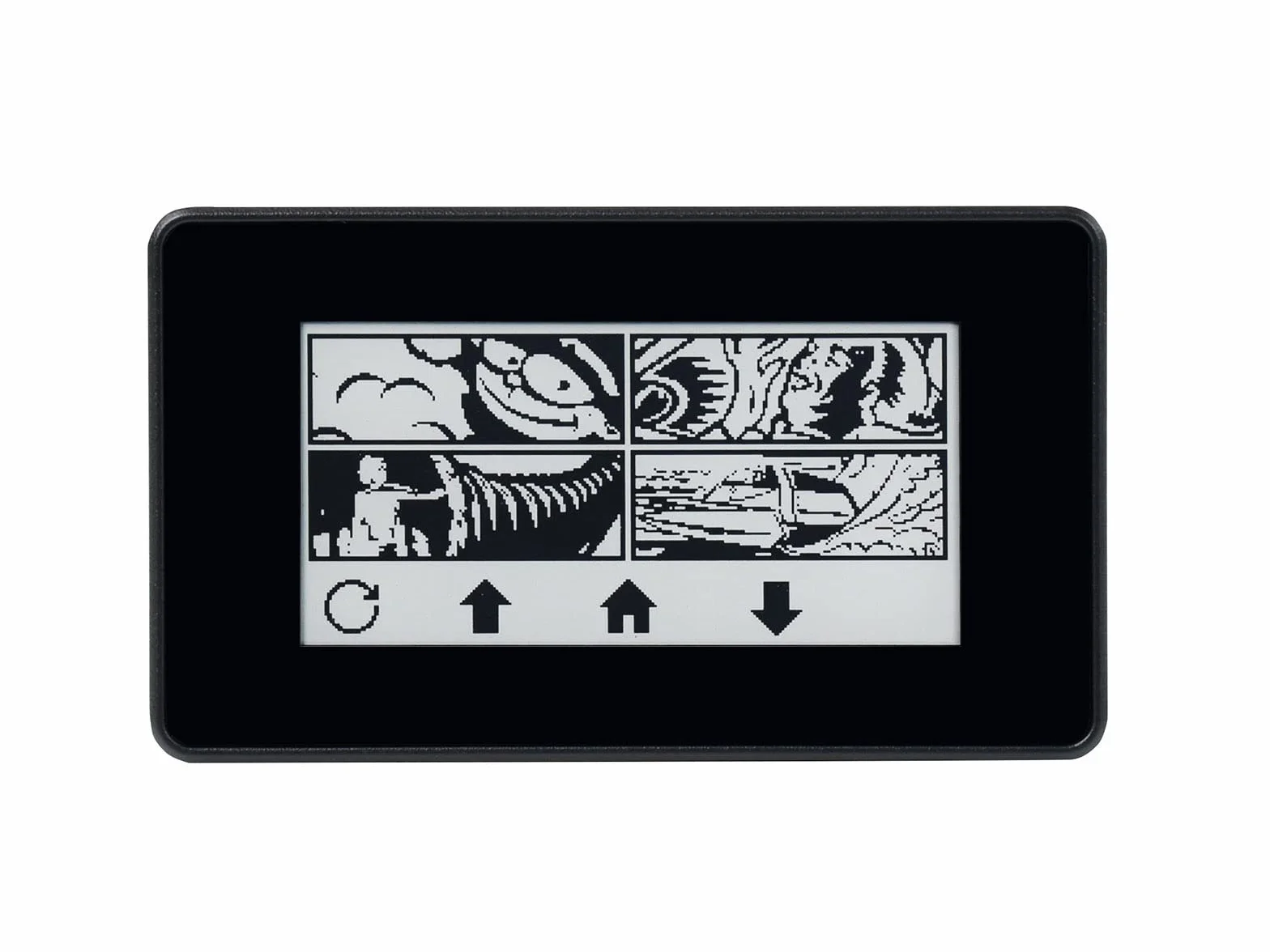
Waveshare 2.13inch Touch E-Paper E-Ink Display for Raspberry Pi Zero 250×122 Pixels Supports Partial Refresh with ABS Protection Case
Thumbnail
Thumbnail
Thumbnail
Thumbnail
Thumbnail
Thumbnail
Thumbnail

Waveshare 2.13inch Touch E-Paper E-Ink Display for Raspberry Pi Zero 250×122 Pixels Supports Partial Refresh with ABS Protection Case

61.50 141.99
Zwrot bez ryzyka w 30 dni i gwarancja zwrotu pieniędzy
Dodano do koszyka.

Specyfikacja produktu

Marka: Waveshare
Rozmiar zainstalowanej pamięci RAM: 1 GB
Model CPU: ARMv7
Technologia łączności: GPIO
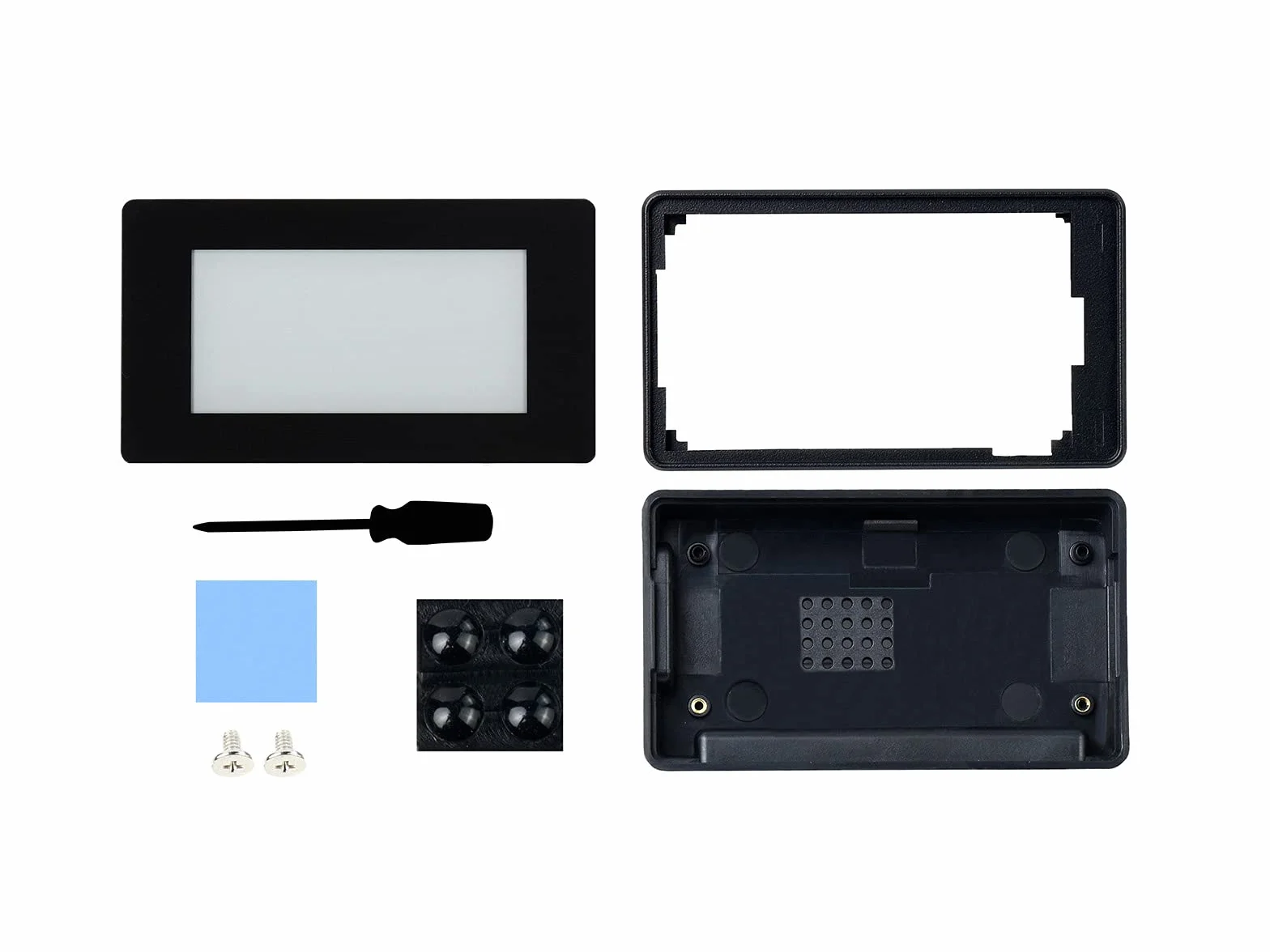
Dołączone komponenty: Etui ochronne ABS
Standard komunikacji bezprzewodowej: Bluetooth
Zgodne urządzenia: Raspberry Pi Zero, Raspberry Pi Zero W
Technologia pamięci RAM: LPDDR2
Liczba produktów: 1
Liczba jednostek: 1 Count

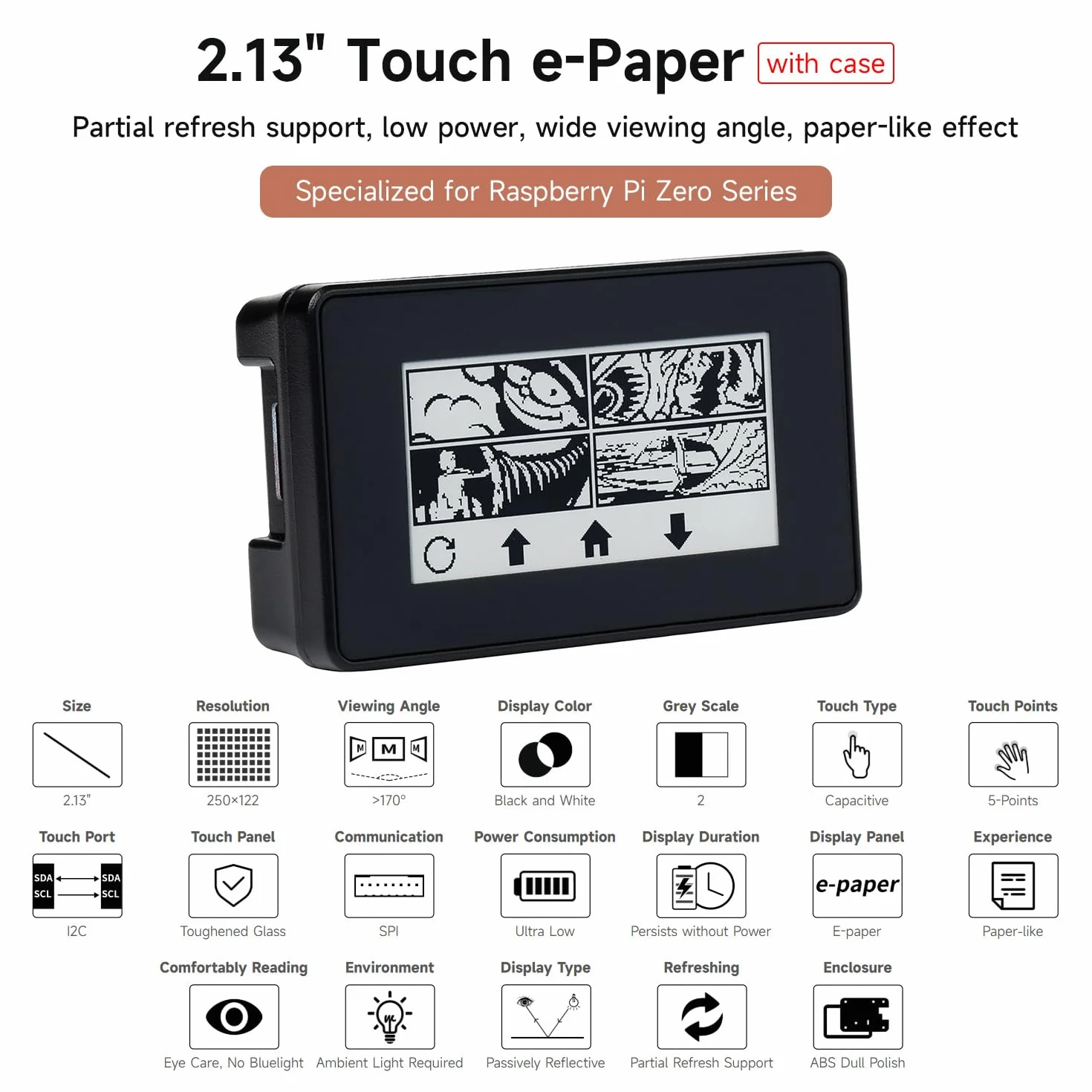
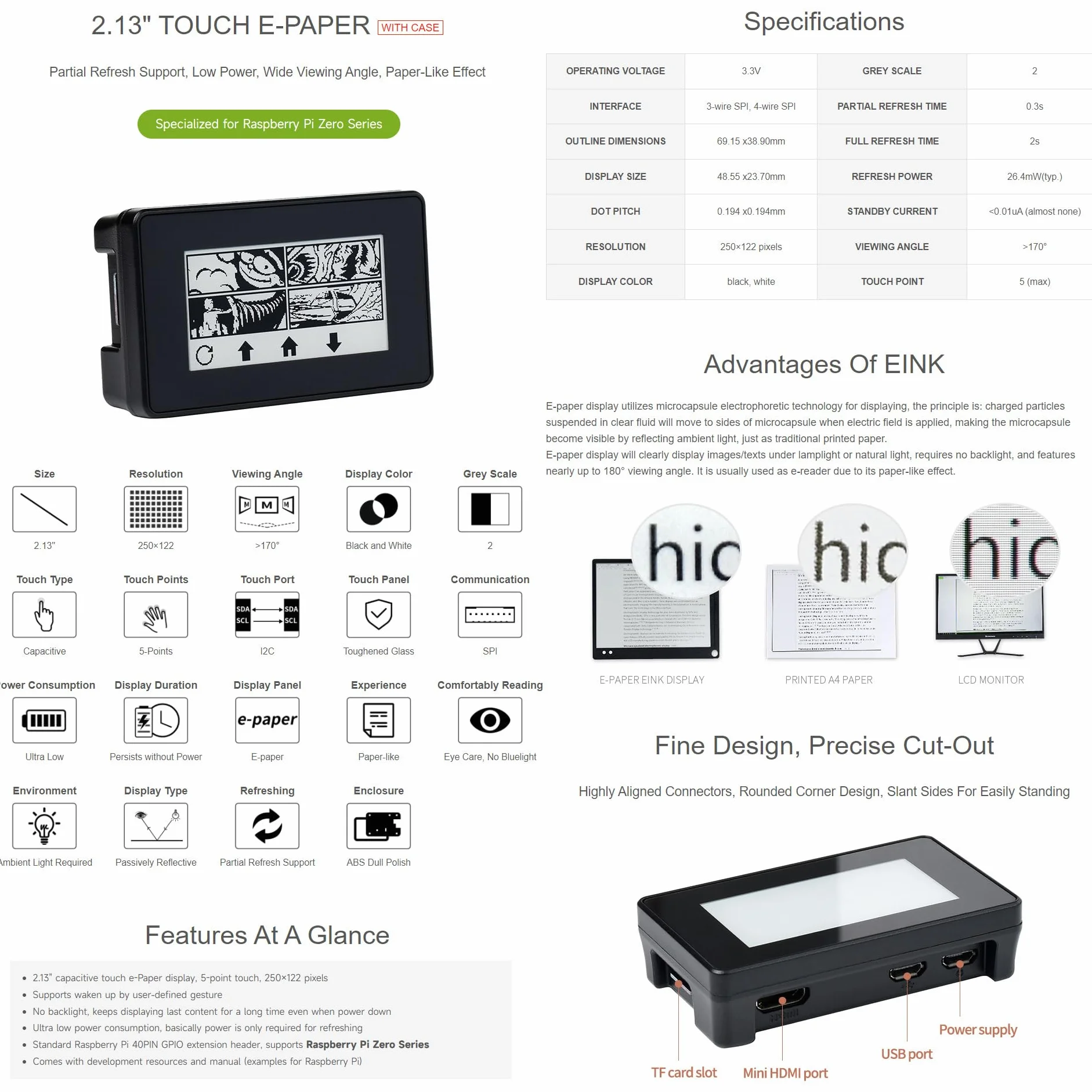
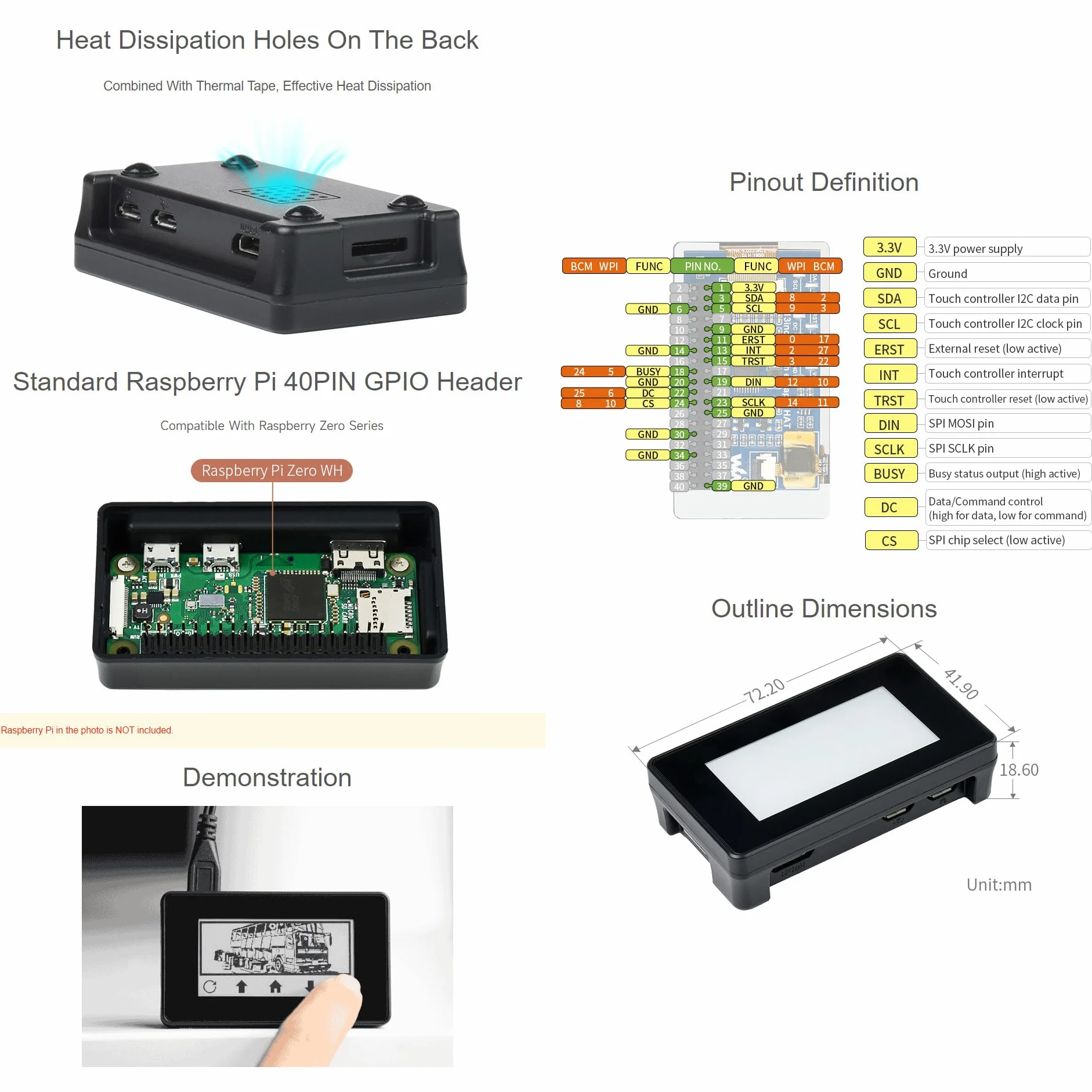
- 2.13" capacitive touch e-Paper display, 5-point touch, 250×122 pixels. Supports waken up by user-defined gesture
- No backlight, keeps displaying last content for a long time even when power down
- Ultra low power consumption, basically power is only required for refreshing
- Standard Raspberry Pi 40PIN GPIO extension header, supports Raspberry Pi Zero / Zero W
- Comes with development resources and manual (examples for Raspberry Pi)

Używamy plików cookie, aby ulepszyć Twoje doświadczenia. Klikając „Akceptuję”, wyrażasz zgodę na naszą Polityka prywatności.